Activate Your License
Follow these quick steps to activate your license key and unlock all Imagerry Pro features.
[!INFO] Device Limit Reached? If you have reached your maximum device activations or need to replace a computer, you can revoke your license key to free up an activation slot.
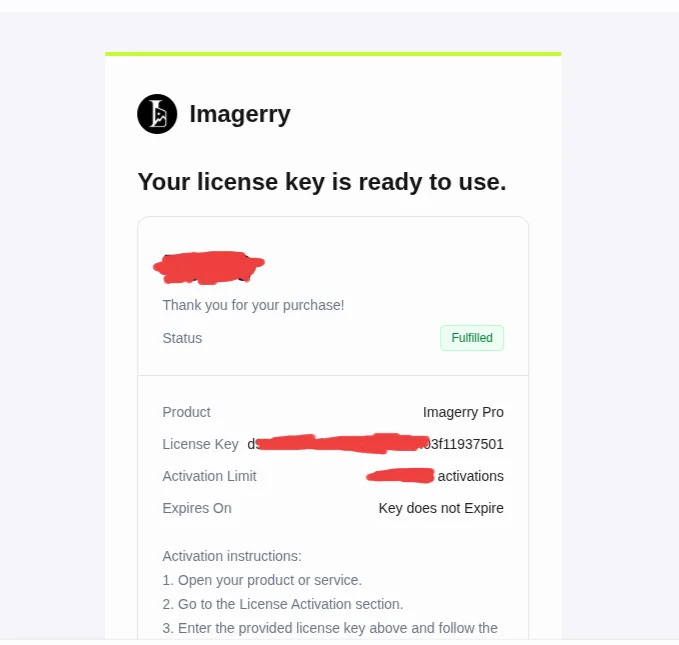
1. Find Your License Key
Your unique License Key was sent to your email from Dodo Payments (our Merchant of Record) immediately after purchase.
Search your email inbox for “Imagerry Pro Receipt” or look for an email sent by Dodo Payments.
[!NOTE] Check Spam / Junk Folders
If you don’t see the email in your main inbox within a few minutes of purchase, check your Spam or Junk folder for an email from Dodo Payments.
2. Open the Workspace
Head over to the Imagerry Web Workspace in your browser.
3. Enter Your License Key
Look for the Pro badge or Activate License button in the top navigation bar. Click it, paste your License Key, and click Activate. Your Pro features will unlock instantly!
[!IMPORTANT] No Account Needed
Imagerry does not require creating an account or signing in. Your Pro license key activates your software locally on your device.
- Unlocks all Pro features across all tools
- Works 100% offline without accounts
- One-time payment with Lifetime Access
Need Assistance?
Didn’t receive your receipt email or lost your license key? We’re happy to assist you:
- Contact support at support@imagerry.com