We have all been there.
You have a quick task to finish: resize an image for a GitHub pull request, strip GPS coordinates off a family photo before posting it online, generate an Android launcher icon, or make a clean QR code with a company logo.
You search online, click the top Google result, spend two minutes configuring your settings, and click Download.
Then the trap springs:
- The Account Hostage Trap: “Sign in with Google to download your file.”
- The Sneaky Watermark: A giant, semi-transparent logo stamped diagonally across the center of your work.
- The Micro-Subscription: “You’ve used your 1 free export for today. Upgrade to Pro for $19.99/month.”
- The Security Blindspot: Your proprietary app screenshot or passport photo just got uploaded to a random cloud server with unknown retention policies.
Most modern web utilities are built for aggressive lead capture rather than user utility.
Here is an honest, curated breakdown of the 10 best free image tools for developers, designers, and creators in 2026. Every tool on this list earned its spot by respecting your time, your privacy, and your sanity.
At a Glance: 10 Tools Compared
| # | Tool | Primary Strength | Client-Side / Local? | Requires Account? | Best For |
|---|---|---|---|---|---|
| 1 | Imagerry | All-in-one local visual toolkit | 100% In-Browser | No | Developers, privacy-conscious users, founders |
| 2 | Squoosh | Codec comparison (MozJPEG, AVIF, WebP) | 100% In-Browser | No | Fine-tuning single web asset compression |
| 3 | Photopea | Full raster layer editing & PSD support | In-Browser (WASM) | No | Complex photo touchups, mockups, PSD edits |
| 4 | SVGOMG | Stripping XML bloat from SVG files | 100% In-Browser | No | Frontend engineers cleaning vector icons |
| 5 | Ray.so | Minimalist code snippet presentation | 100% In-Browser | No | Social snippets, documentation graphics |
| 6 | Coolors | Color scheme brainstorming & contrast | Web-based | Optional | Picking harmonious hex codes & checking WCAG |
| 7 | RealFaviconGenerator | Multi-platform favicon compilation | Cloud-based | No | Setting up complex production favicon folders |
| 8 | ExifTool (Phil Harvey) | Complete binary EXIF/IPTC inspection | Local CLI / Offline | No | Deep forensic analysis & raw camera data |
| 9 | QRCode Monkey | High-res vector QR codes for print | Web-based | No | Offset print posters, brochures, billboards |
| 10 | TinyPNG / Tinify | 8-bit palette lossy quantization | Cloud-based | No (up to 20) | Quick bulk PNG squishing |
1. Imagerry — The All-in-One Local-First Creator Suite
Website: imagerry.com
Cost: Free (Optional one-time perpetual Pro license, zero recurring subscriptions)
Privacy: 100% Local-first (files never leave your browser memory)
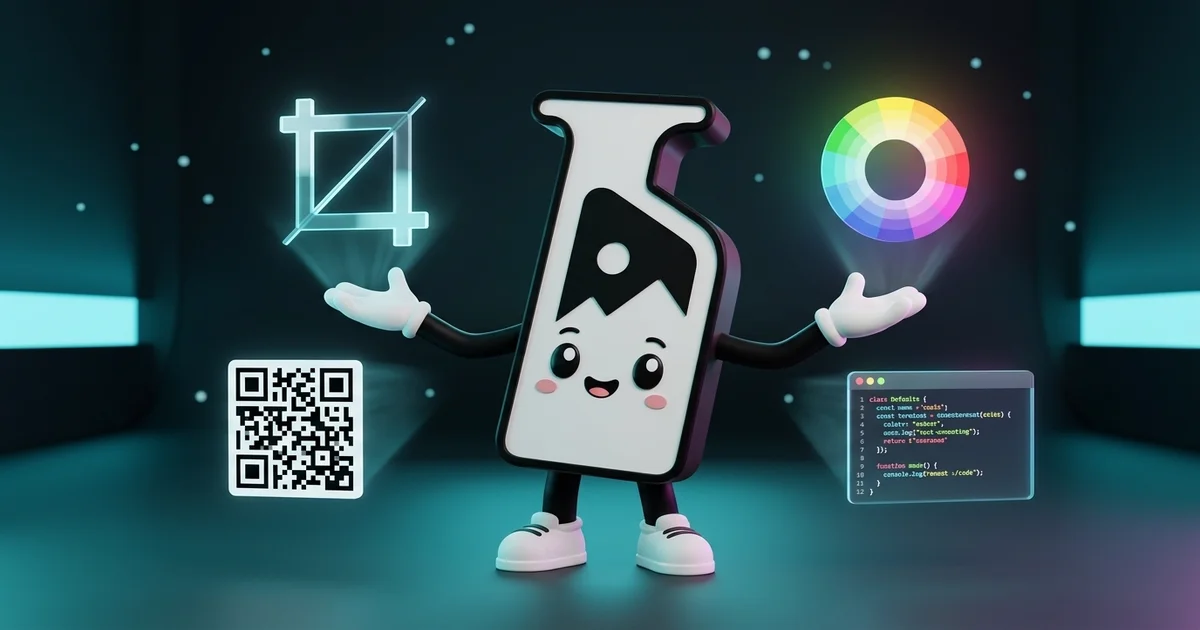
Instead of bookmarking nine different single-purpose websites—each with its own ads, tracking scripts, and cookie banners—Imagerry unifies nine essential developer and creator workflows into a single offline-capable web application.
The core design philosophy is simple: Zero Cloud Round-Trips. Every calculation, canvas transform, and image encoding runs right on your CPU and GPU using WebAssembly and native HTML5 Canvas APIs. You can disconnect your internet completely and every tool still works at full speed.
Core Modes Built Right into Imagerry:
- Image Customizer & Resizer: Crop to exact aspect ratios (16:9, 4:3, 1:1, 9:16), rotate, scale by exact pixel dimensions or percentage, and apply bulk grayscale filters for print preparation without losing sharpness.
- Batch Image Converter: Convert dozens of images between PNG, JPEG, WebP, and AVIF simultaneously. Because files are converted in parallel client-side Web Workers, there are no upload caps or server queue timeouts.
- Privacy & EXIF Metadata Stripper: Smartphone cameras record your GPS home location, device serial numbers, and exact timestamps inside every JPEG and HEIC file. Imagerry scrubs all EXIF, IPTC, and XMP tags in 15 milliseconds before you publish photos online.
- Custom QR Code Generator with Logo: Create scannable, permanent QR codes for URLs, Wi-Fi networks, and contact vCards. Embed your custom brand logo in the center, tune error correction levels (up to 30% redundancy), and choose custom dot patterns and gradient palettes with instant PNG or SVG download.
- Code Snippet to Screenshot Studio: Turn raw programming code into clean, syntax-highlighted terminal cards for technical blogs, Twitter/X posts, and documentation. Includes Mac-style window controls, line numbers, custom titles, and high-DPI retina rendering.
- Open Graph (OG) Card Creator & Meta Previewer: Design 1200x630 social preview banners with typography, badges, and dark gradients. Then switch to the OG Meta Previewer to verify exactly how your link will render across Google Search, X (Twitter), Facebook, LinkedIn, and Discord.
- App Icon Studio: Drop in a single 1024x1024 master icon and automatically generate production-ready icon asset packages for iOS (
AppIcon.appiconset) and Android (mipmap-mdpi,hdpi,xhdpi,xxhdpi,xxxhdpiplus Google Play Store banners) packaged into a clean ZIP archive. - 2x2 on 4x6 Passport Photo Arranger: Need to print official 2x2 inch ID or visa photos? Instead of paying $18 at a pharmacy photo desk, Imagerry places exactly six 2x2 inch photos onto a standard 4x6 inch print sheet with hairline cutting guides, ready for a 35-cent print at any local store.
- Image Color Palette Extractor: Upload any brand visual or screenshot to instantly extract the dominant color scheme, complete with HEX, RGB, HSL values, and copy-pasteable CSS custom properties.
The Verdict: If you value speed, zero upload latency, and absolute privacy for sensitive images or client work, Imagerry is the cleanest modern toolbox available.
2. Squoosh — Visual Codec Tuning
Website: squoosh.app
Maintained by: Google Chrome Labs
Privacy: 100% Client-Side WebAssembly

When you are preparing the hero image for a high-traffic marketing page and need to decide between MozJPEG at 78% quality or AVIF at effort level 4, Squoosh is unbeatable.
Why It’s Worth Using:
- Interactive Split-Screen Slider: Compare the raw original image against the compressed output in real-time. Zoom in to 400% to inspect artifacting around text edges.
- Cutting-Edge Encoders: Runs actual compiled C/C++ encoders (like OxiPNG, MozJPEG, WebP, and libavif) right inside the browser via WASM.
- Zero Server Uploads: Images stay on your device.
The Catch:
Squoosh is designed strictly for one image at a time. If you need to convert an entire folder of 40 PNG assets for your website, dragging them in one by one quickly becomes tedious. (For bulk conversions, pairing Squoosh with a batch tool like Imagerry’s Batch Converter is the way to go).
3. Photopea — In-Browser Photoshop Alternative
Website: photopea.com
Created by: Ivan Kutskir
Privacy: Runs locally in browser; file stays in memory
If you receive a multi-layered .psd, .ai, or .xd file from a client and you do not have an active Adobe Creative Cloud subscription installed, Photopea is a genuine lifesaver.
Why It’s Worth Using:
- Deep Feature Parity with Photoshop: Full layer masks, adjustment layers, blending modes, clone stamp, smart objects, and pen path tools.
- Universal Format Support: Opens PSD, XCF, Sketch, XD, CDR, RAW, and SVG seamlessly.
- Completely Free: No mandatory account creation or feature paywalls.
The Catch:
Photopea runs a single display ad banner on the right side of the screen to support hosting and development. The interface is also as complex as full desktop Photoshop—if you only need to crop, resize, or strip metadata, the sheer density of menus can be overkill.
4. SVGOMG — SVG Minification & Cleanup
Website: jakearchibald.github.io/svgomg
Created by: Jake Archibald
Privacy: Client-side JavaScript
Vector graphics exported straight from Figma, Adobe Illustrator, or Inkscape are notorious for carrying hidden XML junk: editor metadata, unused <defs>, redundant precision decimals, empty grouping tags, and non-standard namespaces.
Why It’s Worth Using:
- Live Visual Diff: Adjust path precision and strip XML tags while watching the rendered vector in real-time to make sure no paths break or distort.
- Massive File Savings: Typical Figma vector exports drop anywhere from 30% to 75% in total kilobyte weight.
- Clean Code Output: Easily copy the raw
<svg>markup straight into your React, Vue, or HTML templates.
The Catch:
It is strictly an optimizer for existing vectors, not an editor. You cannot draw, split paths, or modify nodes directly.
5. Ray.so — Syntax-Highlighted Code Cards
Website: ray.so
Maintained by: Raycast
Privacy: Client-side rendering
Sharing raw text or basic IDE screenshots on social media, changelogs, or technical documentation often looks messy and uninviting. Ray.so turns raw snippets into sleek presentation cards.
Why It’s Worth Using:
- Curated Themes: Clean dark-mode themes inspired by popular VS Code palettes (Breeze, Candy, Crimson, Falcon, Meadow).
- Configurable Canvas: Adjust padding, toggle dark/light backgrounds, switch programming language parsers, and hide window controls.
- Instant Export: Download crisp 2x PNGs or copy an SVG vector directly to your clipboard.
The Catch:
Ray.so is focused purely on quick snippets. If you need to add custom branded headers, custom logos, or generate full Open Graph meta cards alongside your code, use Imagerry’s Code Studio or OG Generator.
6. Coolors — Lightning-Fast Palette Generator
Website: coolors.co
Created by: Fabrizio Bianchi
Privacy: Web-based
Choosing a consistent color palette is one of the hardest parts of designing an application or website. Coolors makes exploring color harmonies as simple as hitting the spacebar.
Why It’s Worth Using:
- Spacebar Randomization: Press Space to generate a 5-color harmonious palette, lock the colors you love, and press Space again to iterate on the rest.
- Built-in Contrast Checker: Instantly calculates the WCAG color contrast ratio between foreground text and background colors, ensuring your site is accessible.
- Color Blindness Simulator: Preview your palette through deuteranopia, protanopia, and tritanopia color filters.
The Catch:
While the core palette generator is free, Coolors pushes a paid subscription for advanced team sharing and library syncing. If you already have an existing image and just need to pull the colors out, you can extract hex codes directly using Imagerry’s Color Extractor without any prompts.
7. RealFaviconGenerator — Legacy & Modern Favicons
Website: realfavicongenerator.net
Maintained by: Philippe Bernard
Privacy: Processes files on server; files are deleted after generation
Generating a favicon used to mean saving a 16x16 .ico file. In 2026, a truly complete web app requires icons for Safari pinned tabs, Apple Touch icons, Android Chrome web app manifests, and Windows Start screen tiles.
Why It’s Worth Using:
- Interactive Previews: Visualizes how your icon will appear inside real Safari tab bars, iOS home screens with black/white backgrounds, and Google search result snippets.
- Generates Full Code Snippets: Provides the exact
<link rel="...">HTML snippet andmanifest.jsonfile ready to paste into your<head>. - Zero Cost: No paywalls or hidden fees to download the generated ZIP package.
The Catch:
The workflow is a bit dated and involves multiple configuration screens. If you only need modern SVG favicons, standard 32x32 PNGs, and mobile touch icons without touching legacy Windows tiles, Imagerry’s Favicon Generator handles it in two clicks inside your browser.
8. ExifTool — Deep Forensic Metadata Analysis
Website: exiftool.org
Created by: Phil Harvey
Privacy: 100% Offline Command-Line Utility
When you need to know everything recorded inside an image file—including proprietary Nikon/Canon maker notes, shutter count, sensor temperature, lens serial numbers, and embedded preview thumbnails—Phil Harvey’s ExifTool is the undisputed industry standard.
Why It’s Worth Using:
- Exhaustive Tag Support: Reads and writes virtually every metadata specification ever created across hundreds of file formats.
- Scriptable & Batch-Ready: Process thousands of images in sub-second CLI pipelines via bash scripts.
- Completely Open Source & Offline: Zero tracking, zero telemetry, and rock-solid stability.
The Catch:
It is primarily a command-line tool. If you do not want to install Perl packages or remember terminal flags just to remove GPS coordinates from 5 photos before texting them to a client, use Imagerry’s Metadata Stripper for instant drag-and-drop cleaning.
9. QRCode Monkey — Vector Print QR Codes
Website: qrcode-monkey.com
Maintained by: Bitly
Privacy: Web-based generation
Many “free” QR code generators create dynamic QR codes that silently redirect through their own domain. After 14 days, the link breaks and demands a $30/month subscription to keep the redirect active.
QRCode Monkey is one of the few long-standing generators that creates true static QR codes that never expire.
Why It’s Worth Using:
- Vector File Formats: Exports crisp SVG, EPS, and PDF files suitable for professional offset printing and large signage.
- Visual Customization: Change body shapes, eye frame styles, and gradient color stops.
- True Static Encoding: The destination URL is baked directly into the pixel matrix.
The Catch:
The site was acquired by Bitly and now features prominent promotional upsells encouraging users to switch to dynamic tracking codes. If you want a modern, clean, tracker-free interface with custom logo support and zero upselling, Imagerry’s QR Code Maker is completely static and local.
10. TinyPNG — Smart Lossy PNG Quantization
Website: tinypng.com
Maintained by: Tinify
Privacy: Files uploaded to cloud servers; deleted after processing
TinyPNG has been a web development staple for over a decade. It specializes in reducing 24-bit PNG files down to smart 8-bit indexed color palettes while preserving full alpha channel transparency.
Why It’s Worth Using:
- Proven Algorithm: Selective color quantization produces dramatic file size cuts (often 60–70%) with almost imperceptible visual differences on standard screens.
- Drag-and-Drop Simplicity: Upload up to 20 images at once and download a single ZIP.
- Widespread API Integration: Available as plugins for WordPress, Photoshop, and CI/CD pipelines.
The Catch:
Files are sent to remote cloud servers for compression, making it unsuitable for proprietary designs, NDA-protected UI screenshots, or sensitive personal documents. Furthermore, the free web interface caps uploads at 5MB per file and 20 files per batch.
How to Choose the Right Tool for the Job
Building a fast, hassle-free workflow comes down to matching the right tool to the task:
- For daily tasks (Cropping, Resizing, Batch Format Conversion, QR Codes, Code Screenshots, Passport Grids, EXIF Scrubbing): Use Imagerry. It runs entirely on your device, never asks for an account, and handles 90% of routine visual chores in seconds.
- For microscopic WebP/AVIF file tuning: Use Squoosh to manually inspect compression artifacts side-by-side.
- For deep layer editing or PSD template tweaking: Open Photopea right in your browser tab.
- For frontend icon optimization: Run your raw SVG assets through SVGOMG before committing them to Git.
- For high-security or sensitive documents: Always stick to local-first, client-side tools (Imagerry or ExifTool) so your raw data never touches an external server.
Frequently Asked Questions
Why do so many “free” image tools demand an account?
Free cloud converters have to pay for server compute and storage every time you upload an image. To recoup those costs, companies use “free” tools as lead magnets to capture your email address, remarket paid subscriptions, or monetize your usage data with ad trackers. Local-first tools like Imagerry bypass this entirely because your own computer performs the processing.
What is the difference between client-side and cloud image editing?
With cloud image tools, your image is transmitted over the internet to a remote server, processed by a backend service, and then sent back to you. With client-side tools (built with WebAssembly, Canvas, and Web Workers), the image never leaves your computer’s RAM. It is faster, works offline, and guarantees privacy.
Can static QR codes ever expire?
No. Standard static QR codes store the raw text or destination URL directly inside the black-and-white pixel pattern. As long as your website exists, the QR code will scan indefinitely. Only “dynamic” QR codes (which route through a middleman redirect service) can expire or be held for ransom behind subscriptions.
How many 2x2 passport photos fit on a standard 4x6 print?
Exactly six 2x2 inch passport photos fit on a single 4x6 inch photographic paper sheet (arranged in a 2x3 grid). Using Imagerry’s Passport Photo Arranger, you can generate a print-ready 4x6 image with margin cut lines and print it for a few cents at any standard photo kiosk.